Start with a question your customers ask.
Here, a Series A fintech company is looking for a CRM. Its growth stage and industry give the search a direction.
 ChatGPT
What can I help with?
Best CRM for a Series A fintech company
Inspect ChatGPT’s search queries, sources and brand mentions. Save them with the original answer for SEO and content research.

After Prompt in use with a ChatGPT search for the best CRM for a Series A fintech company, with HubSpot as the primary brand.
Best CRM for a Series A fintech company
Illustrative example, not a captured ChatGPT response. Actual searches vary by conversation.
Here, a Series A fintech company is looking for a CRM. Its growth stage and industry give the search a direction.
ChatGPTBest CRM for a Series A fintech company
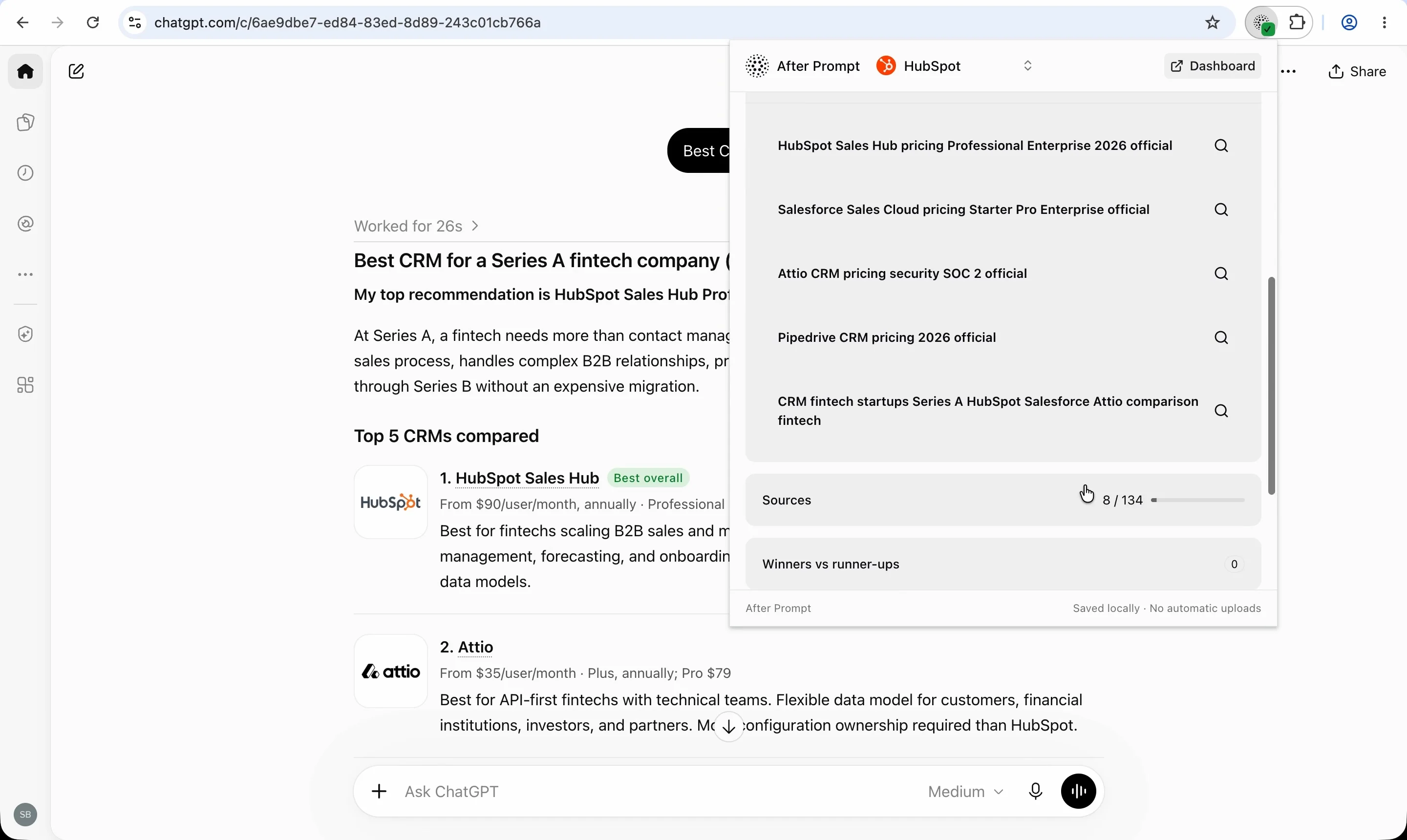
ChatGPT can expand a question into related searches. In this demo, it searches for CRM pricing, features and security across HubSpot, Salesforce, Attio and Pipedrive.
Inspect the wording to see which needs the search covered.
Best CRM for a Series A fintech company
HubSpot Sales Hub pricing Professional Enterprise 2026 official
Salesforce Sales Cloud pricing Starter Pro Enterprise official
Attio CRM pricing security SOC 2 official
Pipedrive CRM pricing 2026 official
CRM fintech startups Series A HubSpot Salesforce Attio comparison fintech
The conversation response can expose search-query data. Finding it manually means locating the response and reading its fields.
You do not need DevTools to use After Prompt.
Read the same queries in the extension, alongside the available sources and brand mentions. Keep the capture with its original prompt and answer.
 After PromptHubSpot
HubSpot Sales Hub pricing Professional Enterprise 2026 official; Salesforce Sales Cloud pricing Starter Pro Enterprise official; Attio CRM pricing security SOC 2 official; Pipedrive CRM pricing 2026 official; CRM fintech startups Series A HubSpot Salesforce Attio comparison fintech
Use captured search topics to plan content, improve existing pages and write follow-up prompts. Compare more conversations to see which needs recur before deciding what to change.
Topics in the query
Content plan
Create a HubSpot vs. Salesforce vs. Attio comparison.
Page improvements
Explain CRM pricing, sales workflows and security.
Follow-up prompts
Which CRM fits a growing fintech sales team?
Inspect the search queries generated from your prompt. Keep the exact wording alongside the original question and answer.
HubSpot Sales Hub pricing Professional Enterprise 2026 official; Salesforce Sales Cloud pricing Starter Pro Enterprise official; Attio CRM pricing security SOC 2 official; Pipedrive CRM pricing 2026 official; CRM fintech startups Series A HubSpot Salesforce Attio comparison fintech
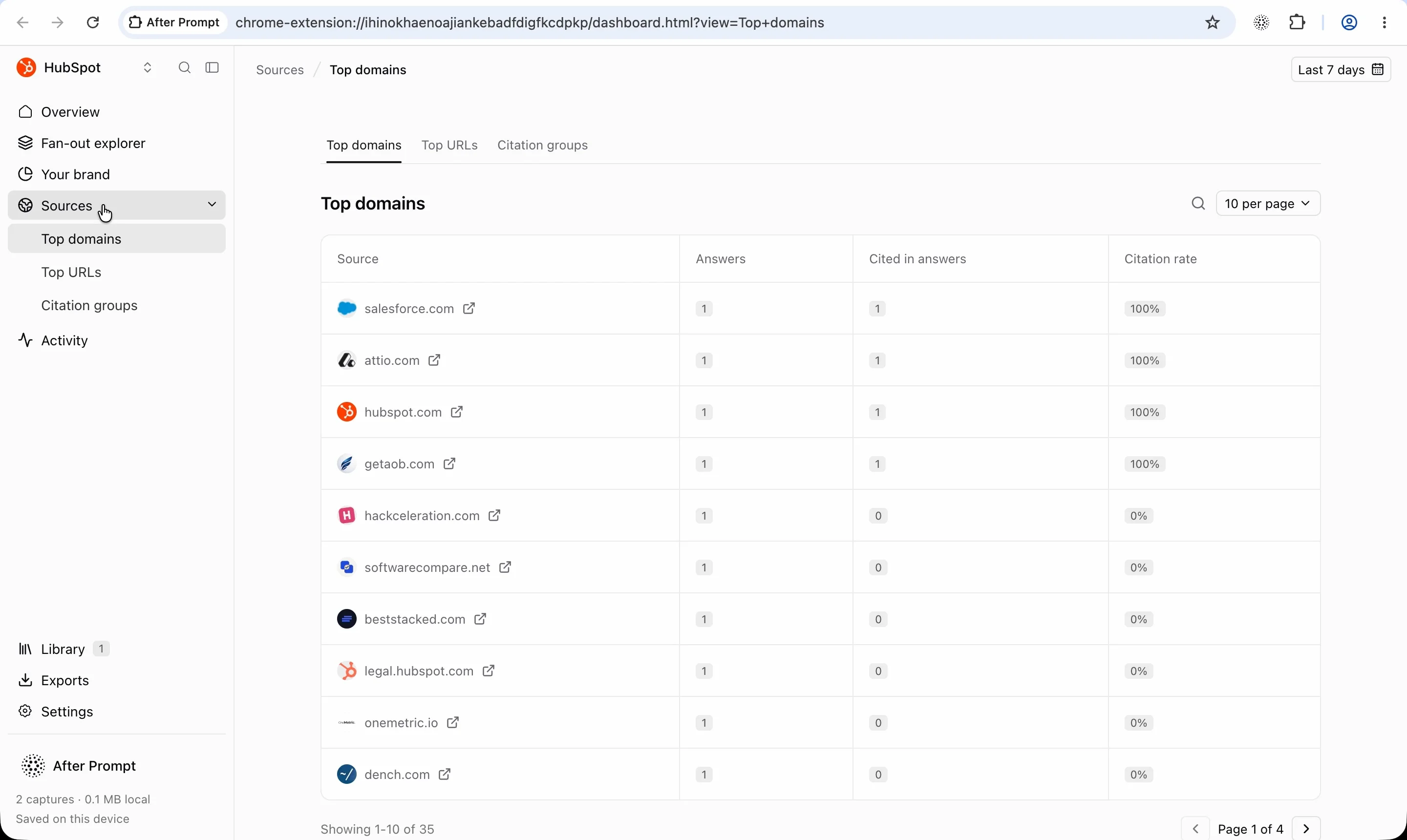
Separate source records from citations in the answer. Explore top domains and URLs across your saved captures.
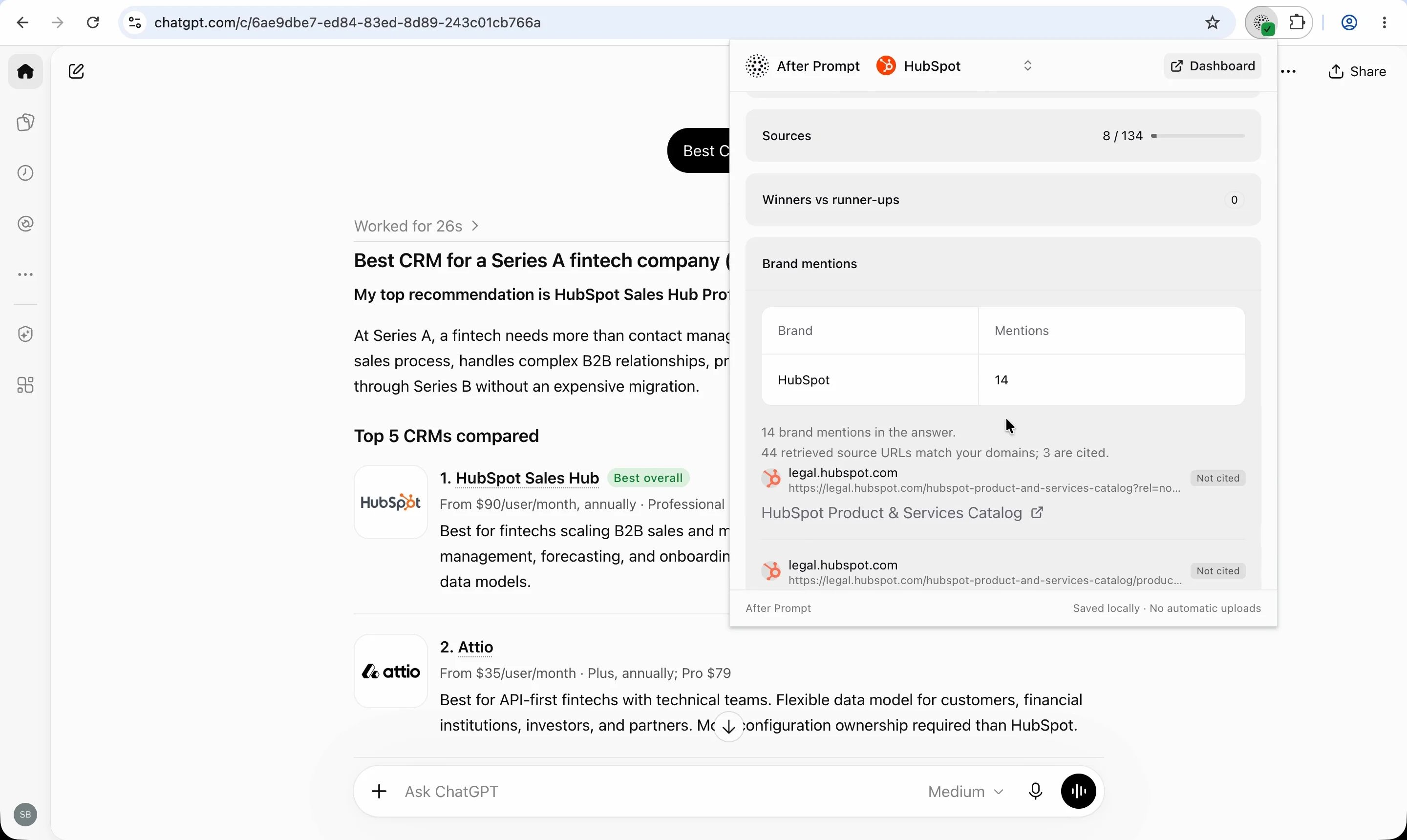
See where your brand appears and read the surrounding answer. Review how ChatGPT describes your product alongside competitors.
My top recommendation is HubSpot Sales Hub Professional, followed by Attio and Salesforce.
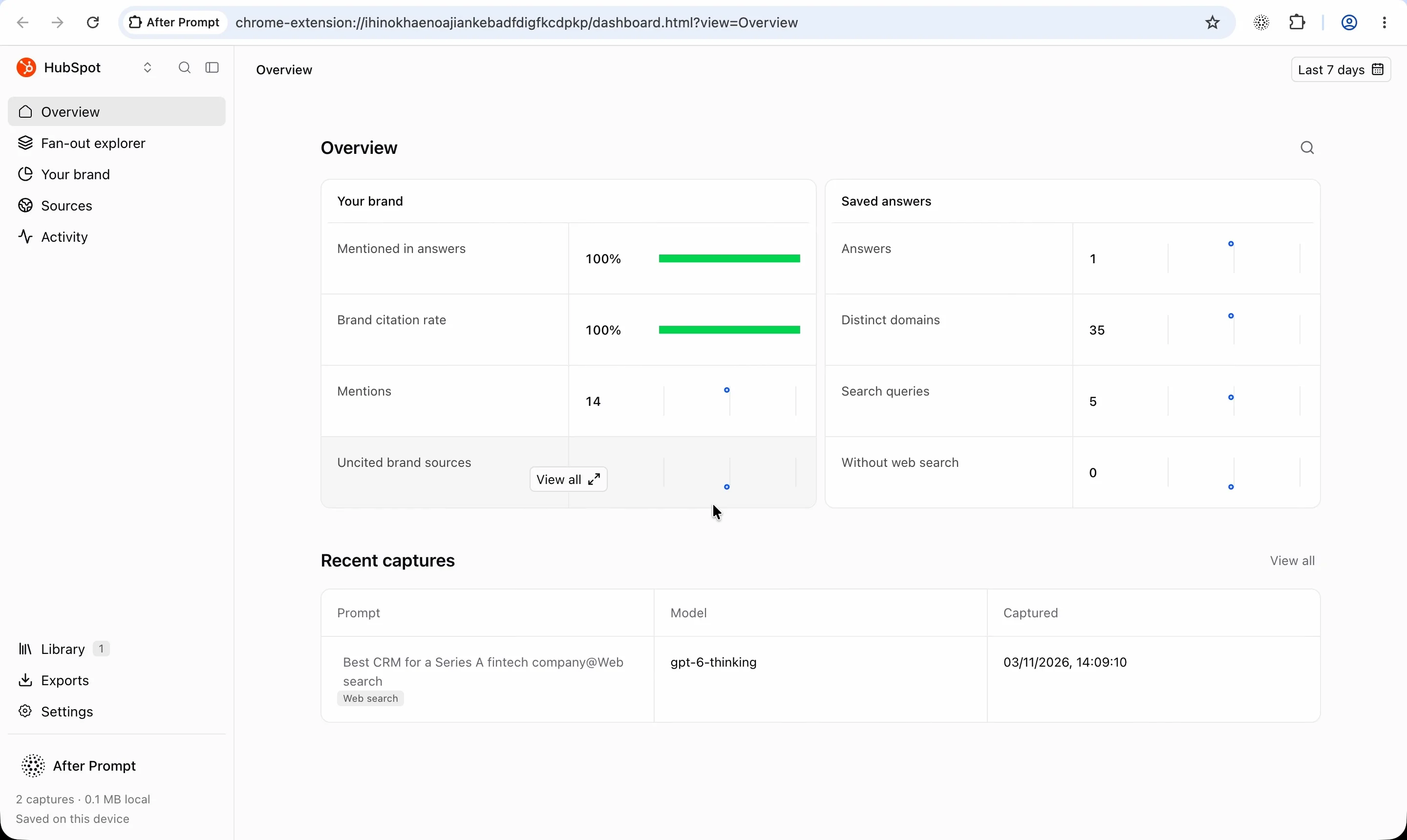
Keep prompts, answers and search data together. Organize captures in brand workspaces so you can return to the original conversation.
Compare two saved answers to see which sources appeared, disappeared or changed citation status.
Export capture data as CSV, JSON or Markdown. Take your findings into a spreadsheet, analysis workflow or content brief.
Use captured queries to plan comparison pages, add missing answers and prioritize updates to existing content.
Install the Chrome extension, then create a workspace for the brand you want to research.
Open ChatGPT and run a conversation that uses web search. Reload an existing tab after enabling capture.
Open After Prompt to review the available queries, sources and brand mentions. Keep the original prompt with your findings.
Yes. After Prompt is a free extension built by Omnius.
Query fan-out is the expansion of an initial question into related search queries. Those queries can address different requirements in the prompt, such as integrations, pricing or a particular workflow.
No. This walkthrough applies to conversations that use web search. The queries and other available data can vary between conversations. An unavailable query field does not mean no search took place.
No. ChatGPT produces the searches. After Prompt extracts the available query data from the conversation so you can inspect it.
Yes. Chrome DevTools lets you inspect data exchanged with the browser. After Prompt automates extraction so you can review the available query data without manually locating and parsing the relevant response.
Map relevant queries to your existing pages, review the sources and answer, and identify information to add or clarify. Use those observations alongside customer questions and search performance data. Query fan-out does not supply search volume or guarantee that a content change will earn a citation.
Conversation context, available information and system behavior can change. Record each run separately and compare relevant questions. One capture describes one conversation.
Review the permissions shown during installation. The data-handling section above covers ChatGPT access, capture timing, local storage, exports and deletion for version 0.1.0.
Capture the available queries, sources and brand mentions from a ChatGPT search. Keep the answer with your research.